Grant management software that also finds and writes the grant
Most grant management tools start after you have found the money. Quillify starts before it. One place to find what you qualify for, write the proposal, and manage the award until closeout.
Free to start, no card. Customers have won $6.6M+.

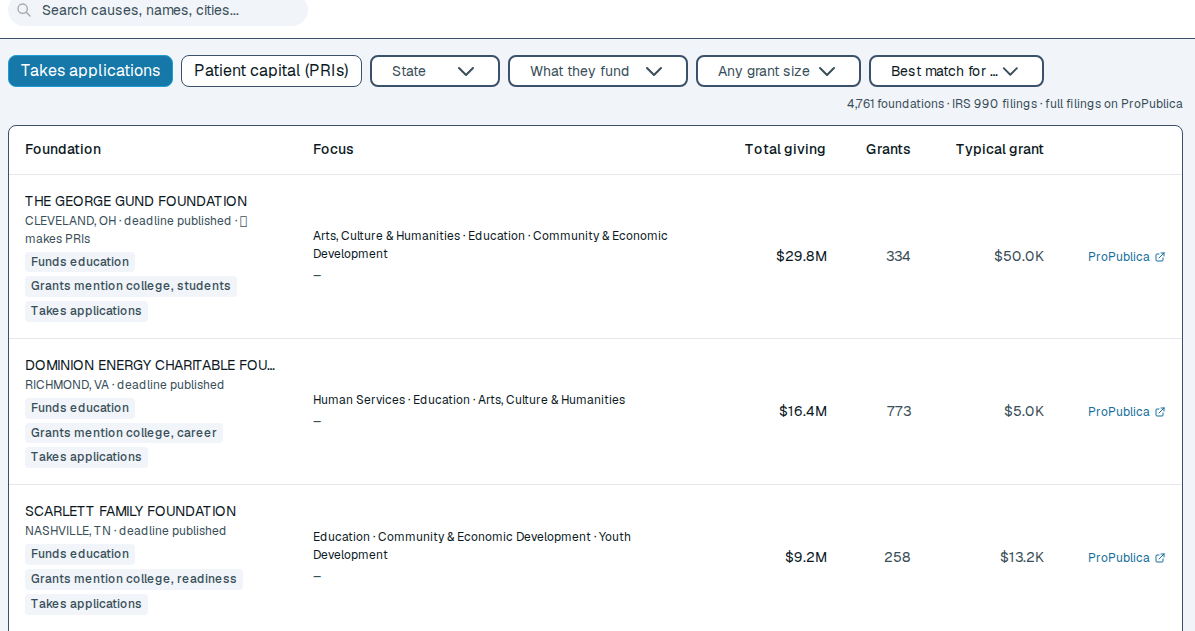
1. Find the funding
Grants, government contracts, and community lenders in one search. Funders that accept applications are flagged from their own tax filings. Ask “Am I qualified?” and Quillify reads the actual announcement. How finding works
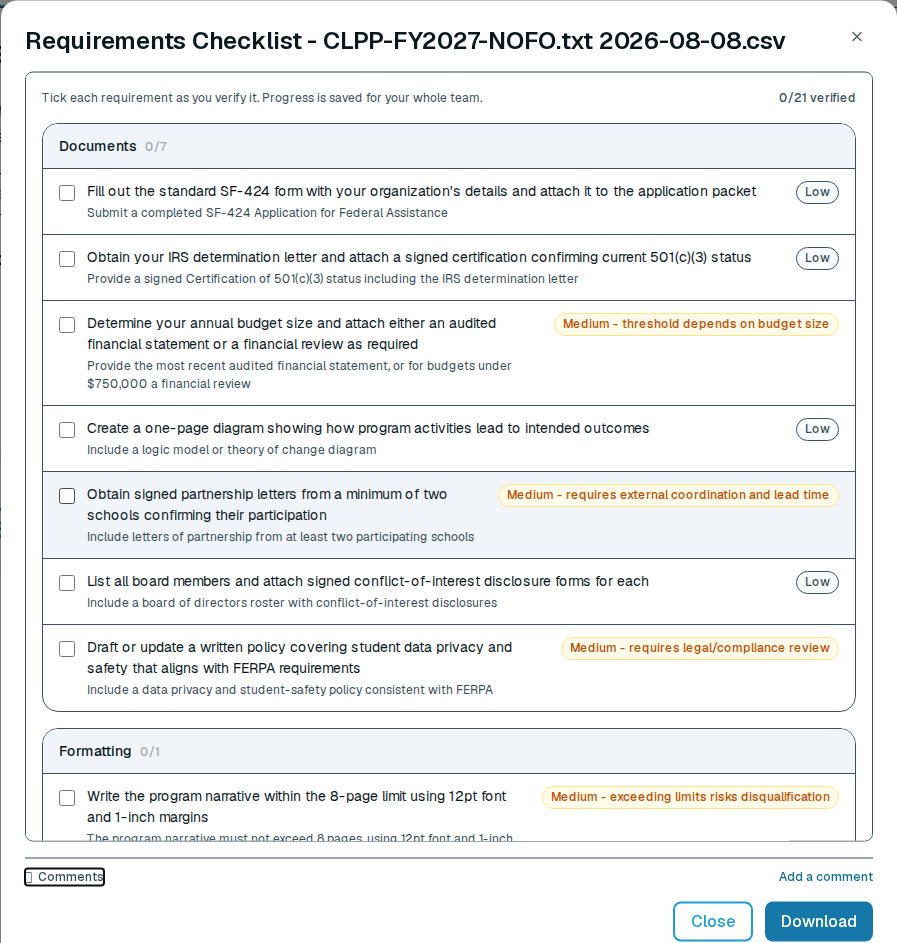
2. Write the proposal
Every requirement in the announcement becomes a checklist before you commit. Lil’ Q drafts from documents you already have and grades the draft the way a reviewer would. How writing works
3. Manage the award
Hand Quillify the award letter. It reads out the reporting schedule, the closeout window, how long records must be kept, and the changes that need the funder’s approval first. Each one lands on your calendar with the sentence it came from.
When the funder amends the award, Quillify marks what changed. When a report comes due, Quillify drafts it from the award and the status of each deliverable. On federal awards you also see what the agency has paid out. Your team logs spending against the award with its receipts, and that spending flows into the financial report draft. The books stay in your accounting system. How award management works
Comparing grant management tools?
Quillify vs. Instrumentl, Quillify vs. Velora and moving from GrantHub.
See what you qualify for today.
Browsing and keyword search are free, and there is no card required.